

I have a confession: I absolutely hate prepdocs.py.
If you’ve touched the standard Azure Search OpenAI demo repo anytime in the last two years, you know exactly what I’m talking about. You clone the repo, you set up your environment, and then you sit there watching a local Python script churn through your PDFs, chunking text, calling APIs, and pushing JSON to an index. It works. It’s fine for a hackathon.
But putting that into production? A nightmare.
I spent way too much of 2025 debugging CI/CD pipelines where the ingestion step failed because of a Python dependency mismatch or a timeout on the runner. It felt archaic. We’re building “cutting-edge AI” (sorry, had to use the buzzword once), yet we’re feeding it data like we’re running a cron job on a Raspberry Pi in a closet.
That’s why the update that dropped back in November—the one adding a proper cloud ingestion option to the template—was the only thing I actually cared about last quarter. I’ve been messing with it for a few weeks now, specifically the Blob Indexer setup, and honestly? It’s about time.
The “Push” vs. “Pull” Problem
The fundamental issue with most RAG (Retrieval Augmented Generation) tutorials is that they rely on a “push” model. Your code runs somewhere (local machine, container, function app), reads a file, processes it, and pushes it to the vector database.
This gives you control, sure. But it also means you own the error handling. You own the retries. You own the compute cost of parsing a 500-page financial report.
The “pull” model—using Azure AI Search Indexers—flips this. You just dump files into a Blob Storage container and tell the Search service, “Hey, go look at that.” The service handles the cracking, the chunking, and the indexing. It detects changes. It handles deletions. It’s infrastructure, not code.
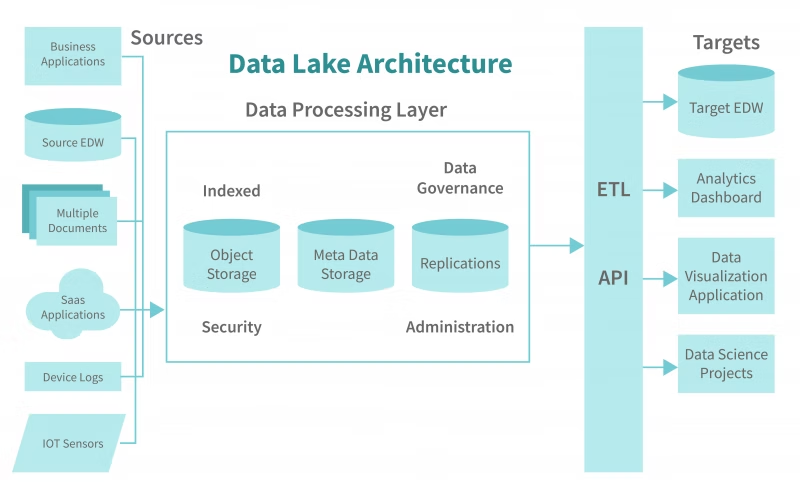
The problem? Until recently, setting up the specific pipeline needed for RAG (OCR, chunking, embedding) using just built-in Indexers was painful. You usually had to wire up a complex skillset manually. The new template changes basically standardized this pattern using a combination of the Blob indexer and three specific custom skills.
The Three Skills You Actually Need
I dug into the Bicep files to see how they actually wired this up. It’s not magic, but it is tedious to build from scratch, which is why having it in the template saves me about three days of work.
1. Document Extraction
This isn’t just “read text.” The skill set is configured to handle the messy reality of enterprise documents. We’re talking about stripping out headers and footers that usually poison vector search results. Nothing ruins a retrieval step faster than the model matching on “Confidential – Page 4” appearing 500 times in your index.
2. Figure Processing (The Real MVP)
This is the one that caught my eye. Historically, RAG over PDFs has been text-blind to charts and images. If your answer was in a bar chart on page 12, the LLM wouldn’t know it existed.
The new setup includes a skill specifically for figure processing. It extracts the image, and depending on your configuration, can run it through a vision model to generate a text description that gets embedded. I tested this with some architectural diagrams last week. It’s not perfect—sometimes it hallucinates details in complex schematics—but it’s infinitely better than the empty void we had before.
3. Text Processing & Embedding
This handles the chunking logic. The shift here is that it’s running as a skillset within the Search service context. You aren’t managing the loops. You just define the chunk size and overlap, and the indexer respects it.
Why I’m Deleting My Ingestion Scripts
The biggest win here isn’t technical; it’s operational.
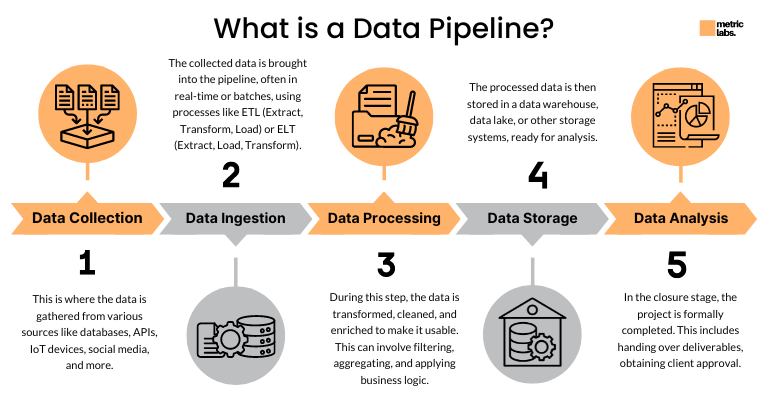
When I use the cloud ingestion option (the blob indexer approach), my architecture diagram gets simpler. I don’t need an Azure Function just to listen for blob events and trigger a Python script. I don’t need a GitHub Action to re-index data.
I just deploy the infrastructure. The infrastructure is the ingestion pipeline.
If a file fails to index? I can see it in the Indexer execution history in the portal. I don’t have to go digging through Application Insights logs for a random Python exception. The separation of concerns is cleaner. The storage team manages the blobs; the search team manages the indexer. No middleware code glue required.
The Ugly Parts
Look, I’m not going to pretend it’s flawless. If you’ve worked with Azure Search Indexers before, you know they can be… opaque.
Debugging a custom skill failure is still frustrating. You get an error message like “WebApiSkill failed,” and you have to go trace the request ID. It’s less immediate than seeing a stack trace in your terminal.

Also, cost. Custom skills (especially if they call out to Document Intelligence or heavy vision models) can rack up a bill if you accidentally dump a terabyte of archives into the watched container. With the local script approach, you feel the pain immediately because your laptop fan spins up. With the cloud approach, you feel the pain when the invoice hits.
Should You Switch?
If you are still running prepdocs.py or your own home-rolled equivalent in a production environment: stop.
Switch to the indexer pattern. It’s more robust (I hate that word, but it fits here), it handles scale better, and it removes a fragile piece of custom code from your stack. The fact that the official samples finally support this out of the box means it’s likely the path forward for Microsoft’s recommended architecture anyway.
I migrated a client’s internal knowledge base to this setup just before the holidays. The ingestion pipeline used to break about once a week due to file format weirdness crashing our parser. Since switching to the indexer with the new skills configuration? Zero downtime.
Sometimes the best code is the code you delete. And I am very happy to delete that Python script.